Skip to content
Dropbear Solutions

Product 01 · TimeTrace

Time tracking for every profession.

What you were doing, when. A Windows app that records your working day, pulls in your Microsoft 365 calendar and pushes the hours into your timesheet system.

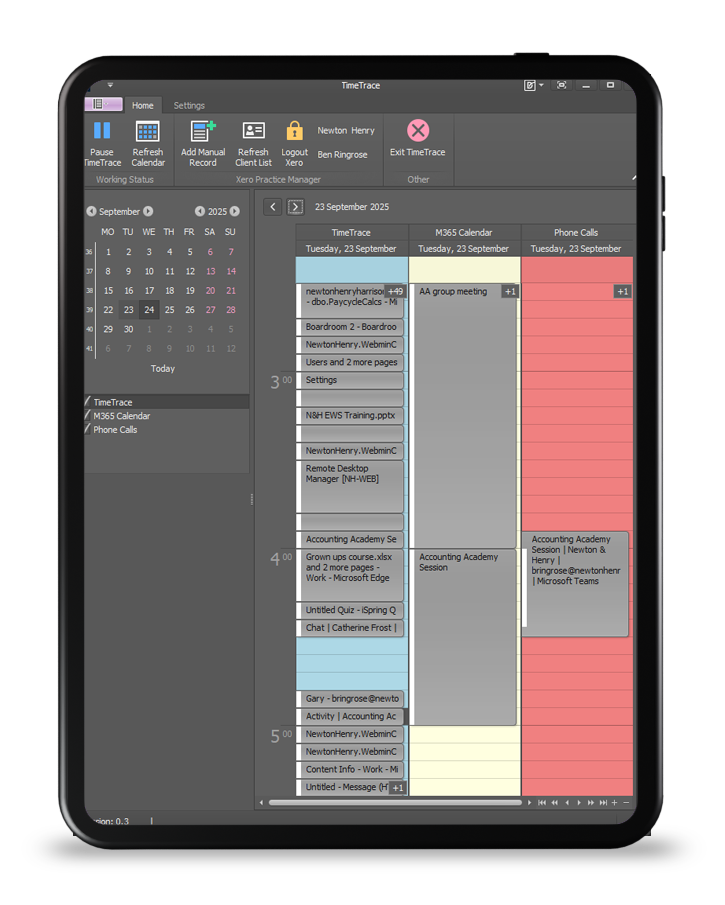
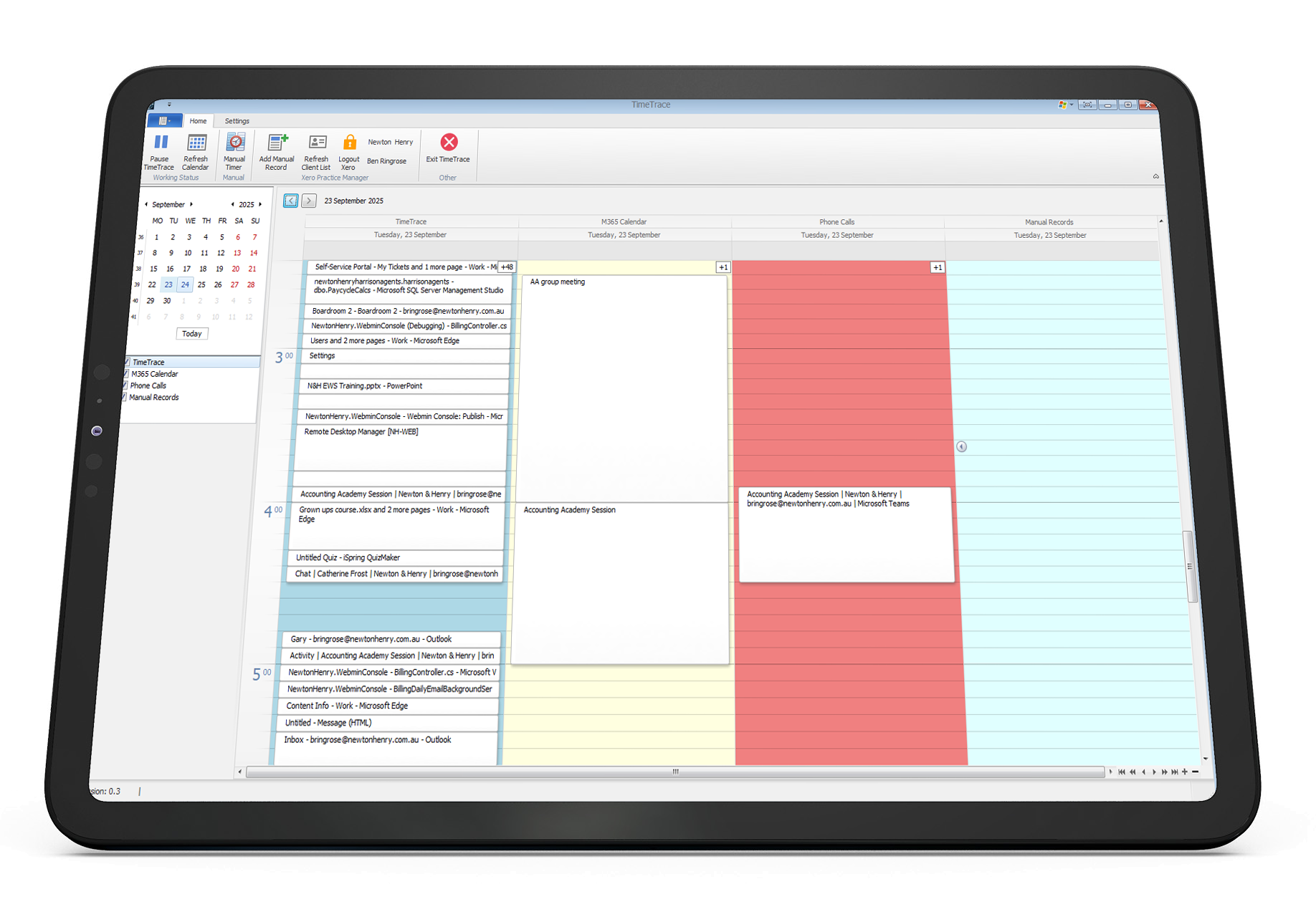
TimeTrace showing a day of recorded activity alongside the Microsoft 365 calendar
The TimeTrace day view on a tablet

Introducing TimeTrace

TimeTrace is a modern tool that helps you keep track of how you spend your time at work. It comes with a Windows app and soon a mobile app, so you can record your hours whether you’re at your desk or on the go.

The desktop version is built for Windows and provides a polished, user‑friendly interface, while the mobile version runs on phones and tablets with Android.

Both apps are designed to work seamlessly with popular tools like Outlook, Microsoft 365 and Xero to streamline your daily routine.

TimeTrace

What you were doing, when. Timesheets made easy.

Designed for Security

TimeTrace treats your data with care. The activity it records is stored in an encrypted database on your computer, and stays there unless you use a feature that sends it: AI‑suggested descriptions, a diagnostics bundle for support, PA Mode, or posting time to Xero Practice Manager or Dropbear PM. Dropbear Solutions holds your account, licences and organisation settings.

The TimeTrace Privacy Policy explains what TimeTrace records, what is sent, where it goes and why.

When the app connects to services like Microsoft 365 or Xero Practice Manager, it uses well‑known sign‑in methods to protect your login details.

This means your passwords and tokens stay private, and any sensitive information is locked away securely.

Connected for Ease

One of the biggest benefits of TimeTrace is how easily it connects with the tools you already use. The app links with your Outlook or Microsoft 365 calendars, so it can pull in meetings and appointments to help you track time automatically.

If your company uses Xero Practice Manager or something similar, TimeTrace can connect to those as well, making it easy to access client, job, or ticket information without switching apps.

All of these connections happen behind the scenes to give you a smoother experience.

Push to Timesheet

After you’ve tracked your hours, you want to make sure they end up in the right place. TimeTrace makes this step effortless by letting you submit your recorded time straight into your employer’s timesheet system.

The app pulls together your daily and weekly totals for review, then sends them to external platforms like ITFlow through secure API calls.

Whether your organisation uses Xero, or another system, TimeTrace helps ensure that all your billable work is captured and recorded correctly.

If TimeTrace currently doesn’t connect to your company’s timesheeting and tracking system please feel free to reach out and we can determine if it’s possible with future releases.

Get in touch

Interested in TimeTrace?

Questions about TimeTrace, pricing or an integration you need? Send a message and we’ll get back to you as soon as possible.