Skip to content
Dropbear Solutions

Product 03 · OzBook

Accounting, built for Australia.

Invoicing, bills, banking, payroll, GST and reporting in one file per business, with Practice Manager for the accounting firms that look after them.

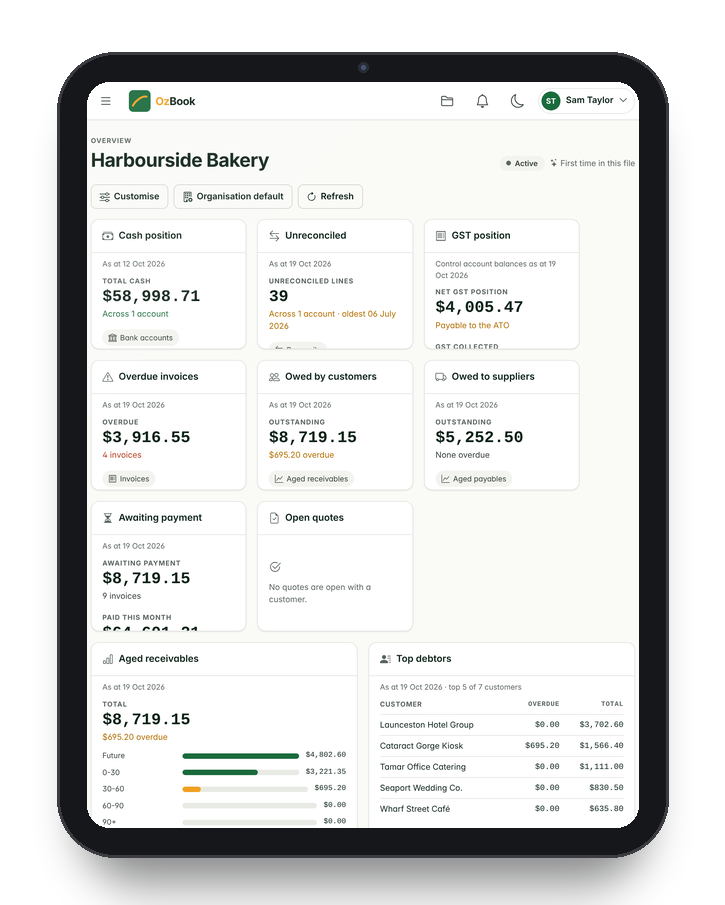
The OzBook dashboard on a tablet
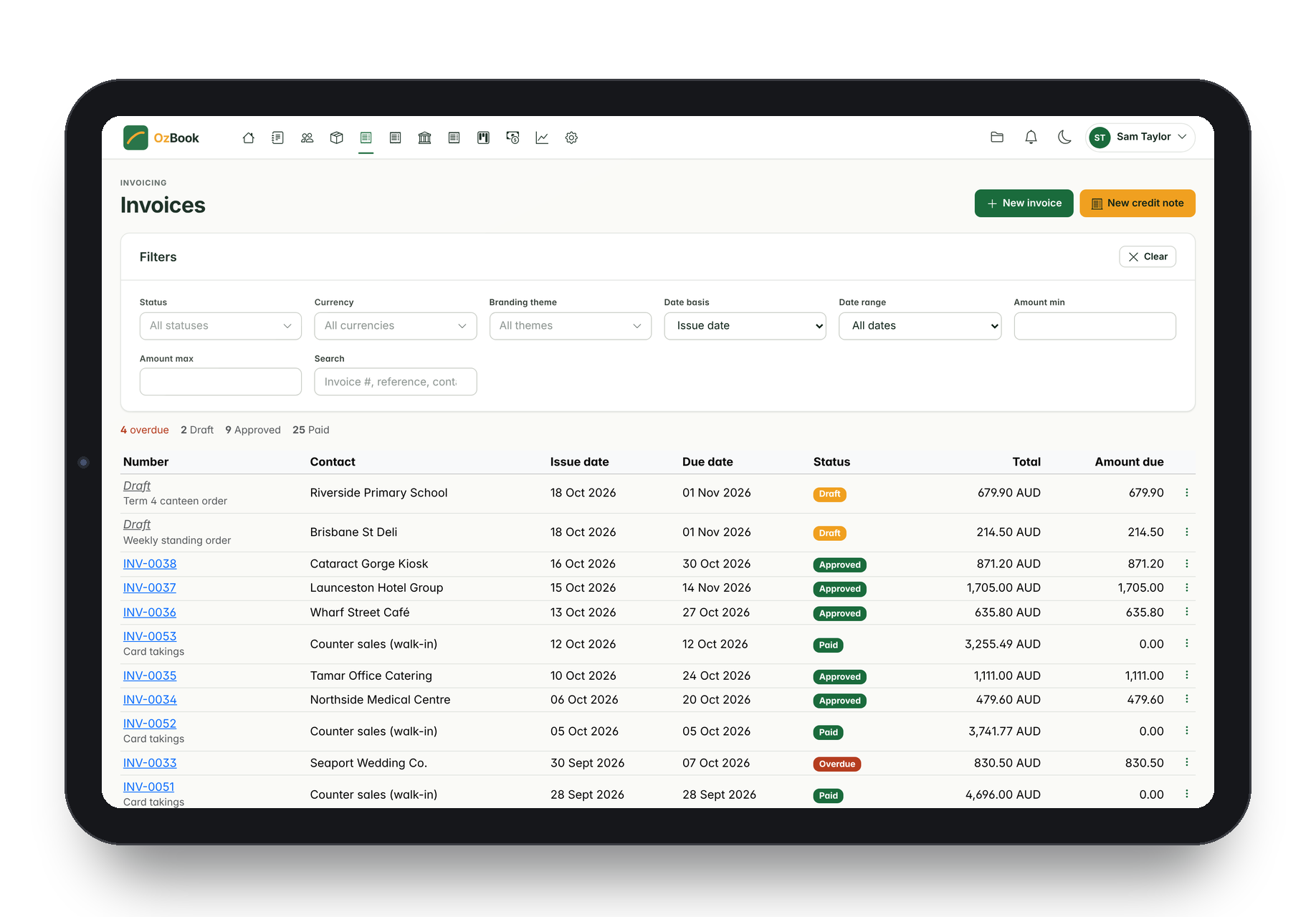
The OzBook invoices list on a tablet

Introducing OzBook

OzBook is cloud accounting built for Australian businesses and the accounting practices that look after them.

Each business works in its own file with a general ledger, GST-ready tax codes, invoicing, bills, banking, payroll and reporting, and a dashboard that every person can arrange to suit the way they work.

OzBook runs in the browser on desktop, tablet and phone, in light or dark mode. Every account is protected by multi-factor authentication or a passkey, and practices can sign their staff in through Microsoft Entra ID single sign-on.

It connects to bank feeds through the Consumer Data Right, offers an API that follows Xero’s Accounting API along with a developer portal for apps and integrations, and can bring an existing Xero organisation or Xero Practice Manager account across in a guided migration.

OzBook

Australian accounting, from the books to the practice.

The Dashboard & Ledger
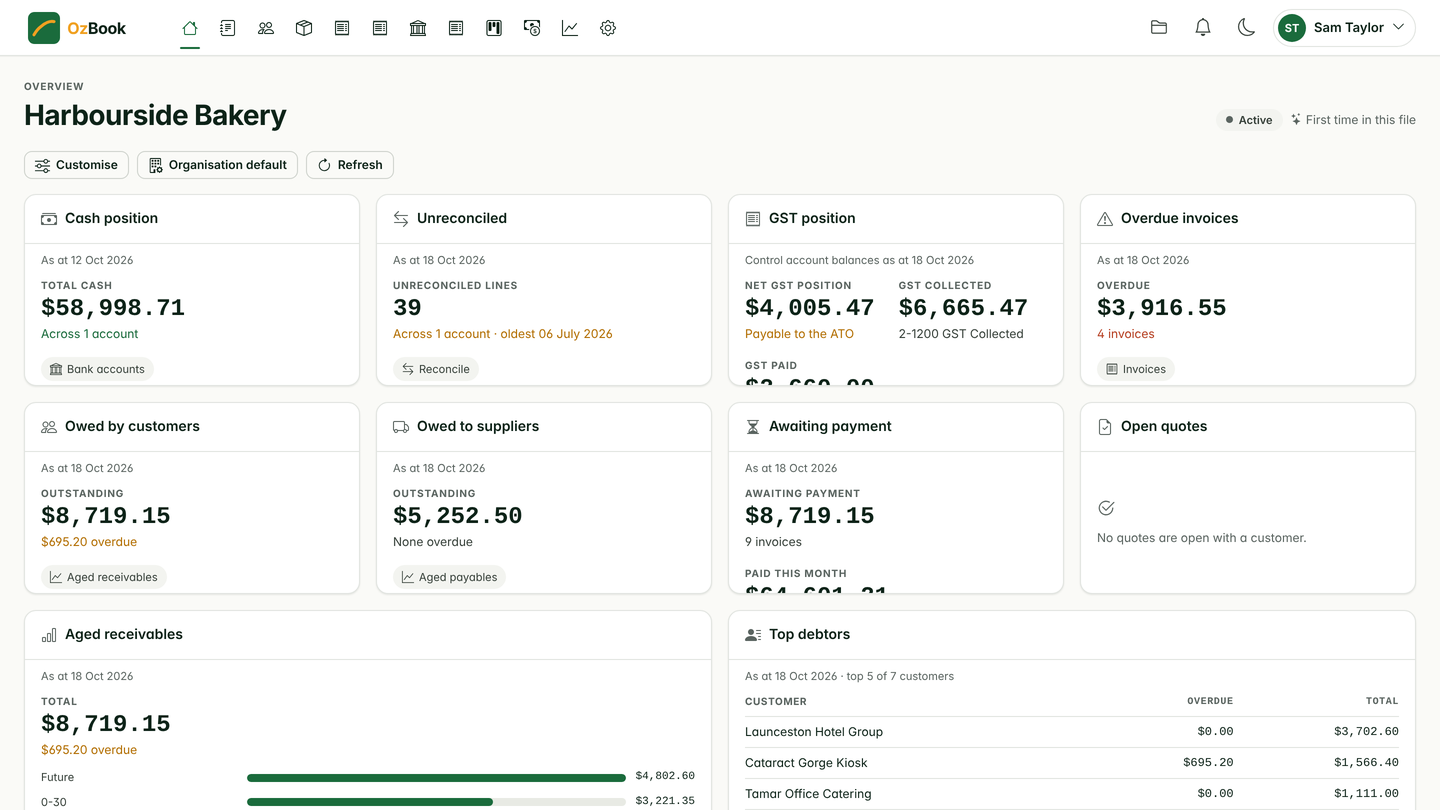
The OzBook dashboard showing cash, GST, overdue invoices and aged receivables

Every business in OzBook has its own file, and its dashboard opens on the numbers that matter: cash in the bank, unreconciled transactions, the GST position, overdue invoices and what is owed in both directions. Each person can resize, reorder and hide the cards, and administrators can set a default layout for everyone in the file.

Behind the dashboard is a full general ledger. Each new file starts with an Australian chart of accounts, GST tax codes and an open financial year, with periods, tracking categories and journals ready to go. Payroll runs in the same file, with PAYG withholding, superannuation, leave and Single Touch Payroll Phase 2 reporting, and fixed assets, inventory, projects, expense claims and mileage are built in too.
Invoicing & Quotes

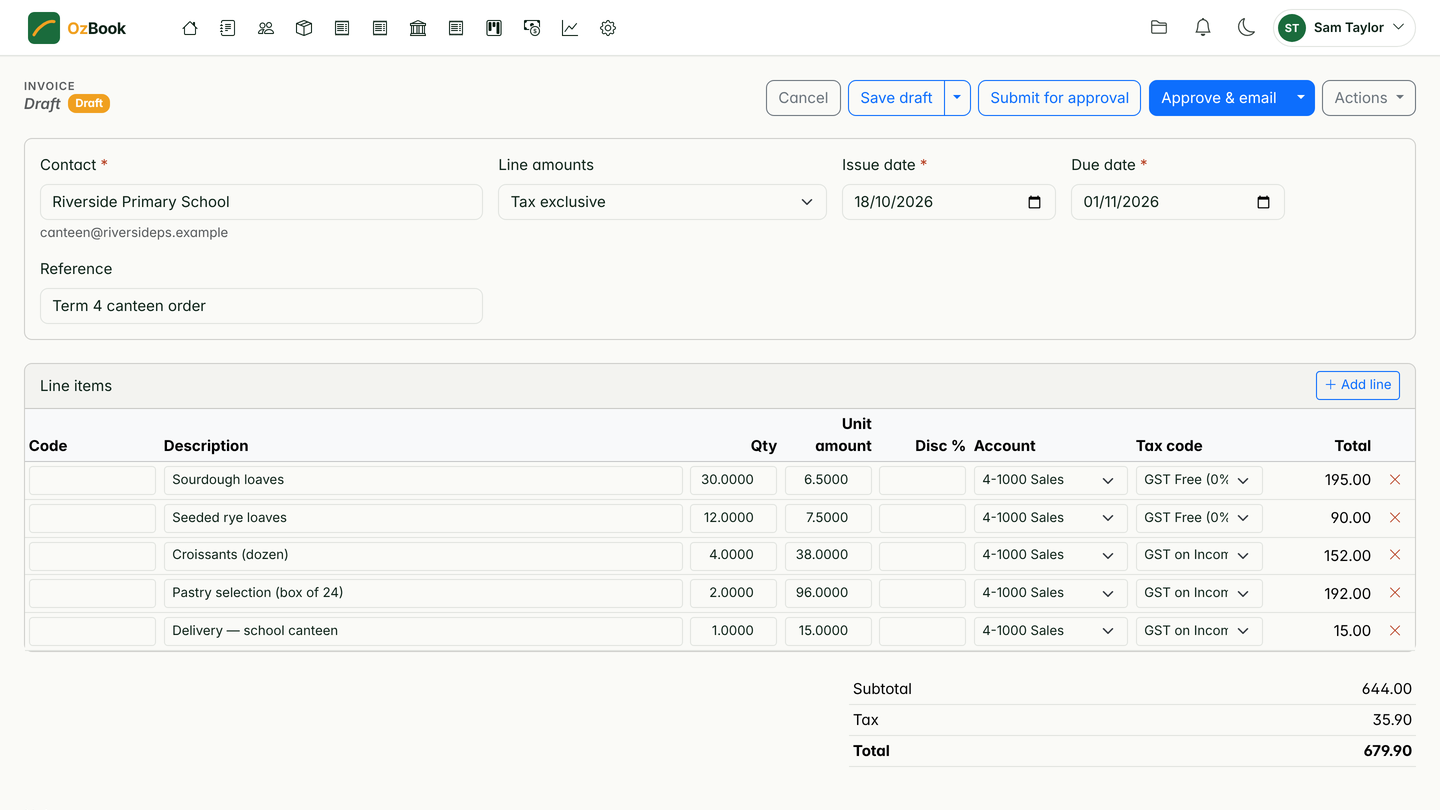
Editing a draft invoice in OzBook

Send quotes, turn accepted quotes into invoices, and raise credit notes and recurring invoices, with the GST worked out on every line. Branded templates give every document your own look, designed in OzBook’s template editor or uploaded as a Word document.

Invoices are emailed straight from OzBook with a link to view them online, so you can see when a customer has opened one. Payments are recorded against each invoice as they arrive, and overdue invoices are easy to spot from the invoice list and the dashboard.

Bills & Suppliers

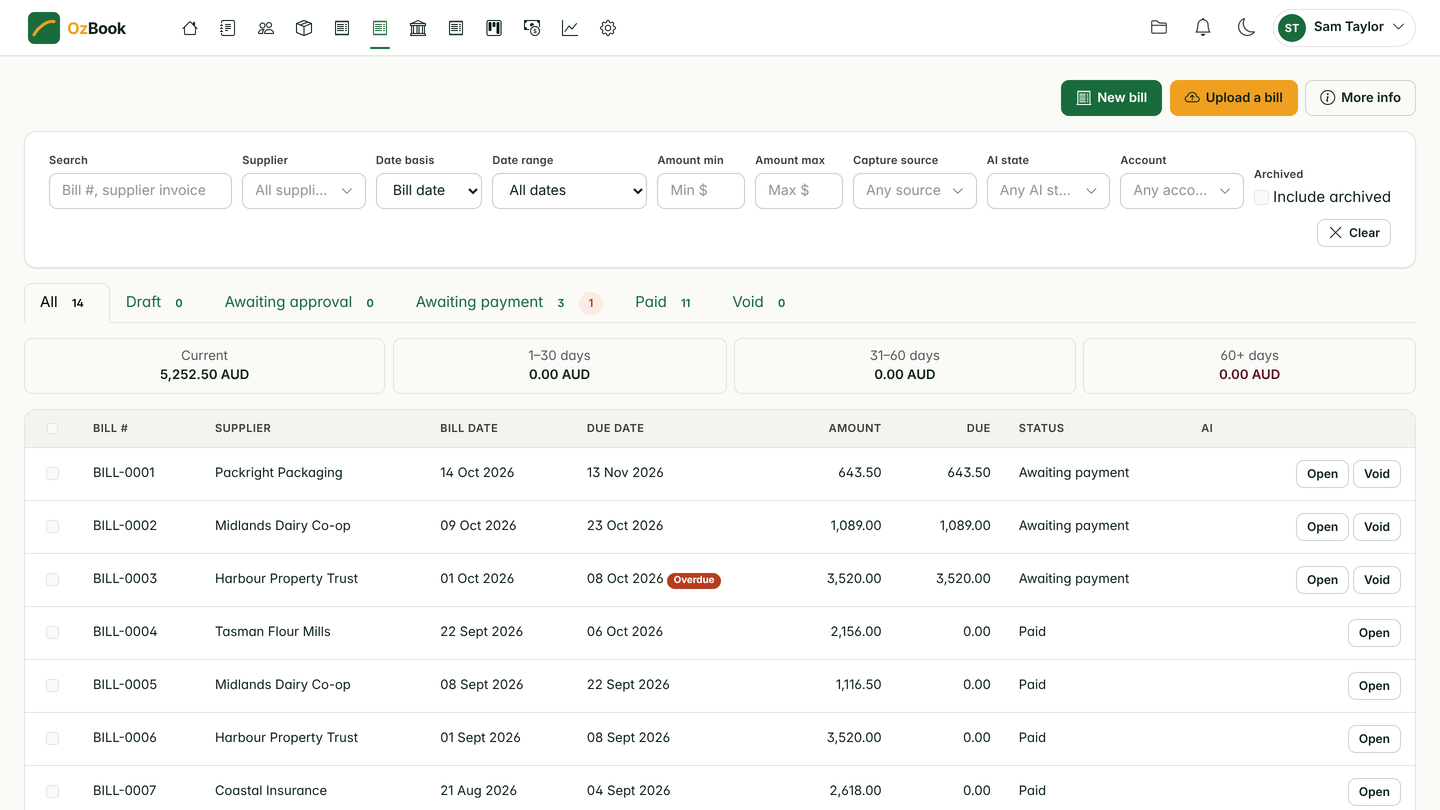
The OzBook bills list grouped by status and ageing

Keep track of what you owe. Enter supplier bills yourself or forward them to your file’s own bills email address, where OzBook reads them and suggests the supplier, account coding and GST for you to check. Possible duplicate supplier invoices are flagged before they are paid twice.

Raise purchase orders and convert them into bills, route bills through approval rules before they are paid, and pay suppliers in batches with an ABA file ready to upload to your bank.

Banking & Reconciliation

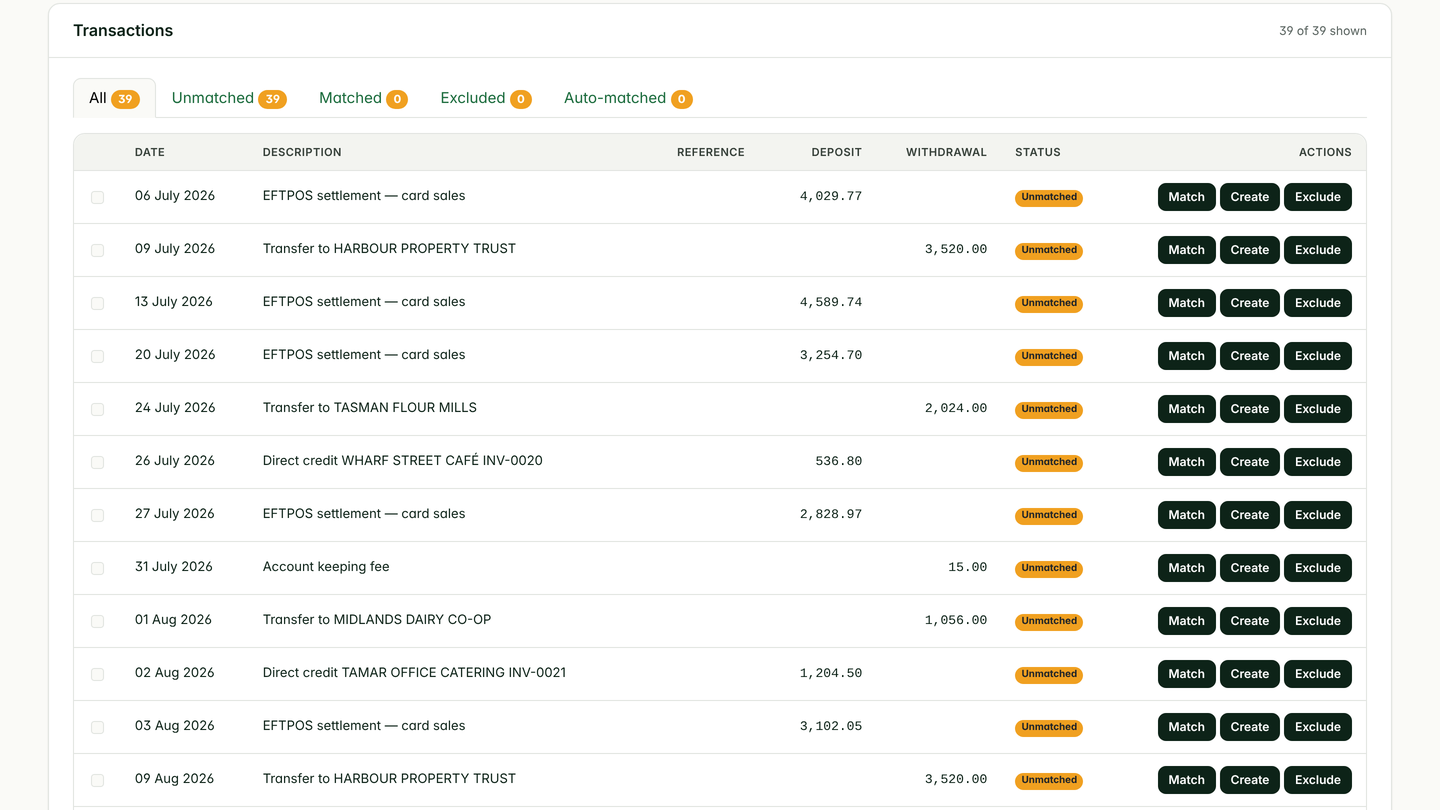
Reconciling bank transactions in OzBook

Connect your bank accounts through the Consumer Data Right and transactions flow into OzBook on a schedule. You can also import statements as CSV, OFX or QIF files.

OzBook suggests matches against open invoices and bills, including several invoices paid in a single transfer. For each bank account you can let it confirm and reconcile straightforward matches automatically, leaving you to review the rest.

Reporting

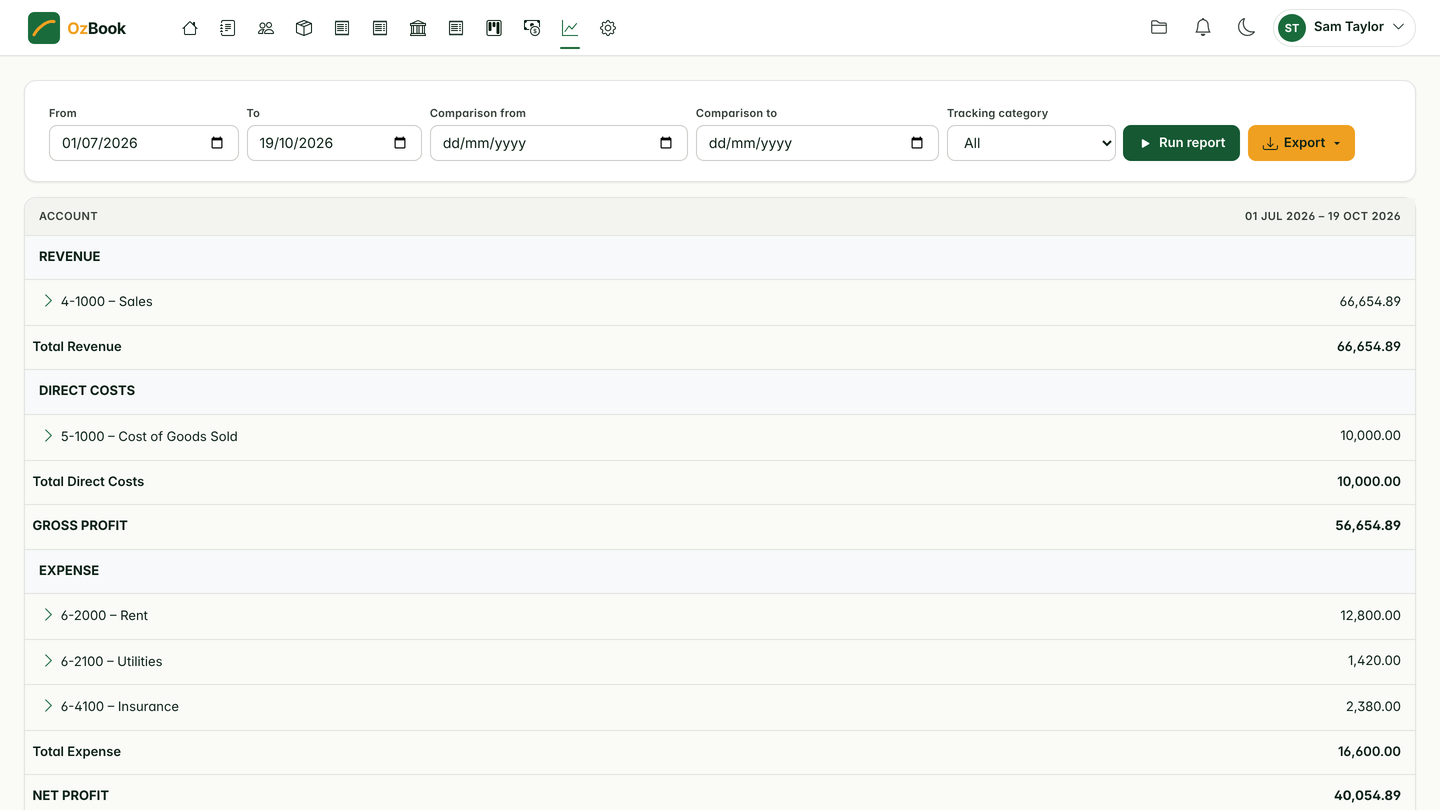
A profit and loss report in OzBook

Profit and loss, balance sheet, cash flow, trial balance, and aged receivables and payables are ready to run for any period, with comparison periods and tracking category filters, and can be exported when you need to share them.

When the standard reports aren’t enough, build your own, schedule them to arrive by email, and share them with the rest of your team.

Practice Manager

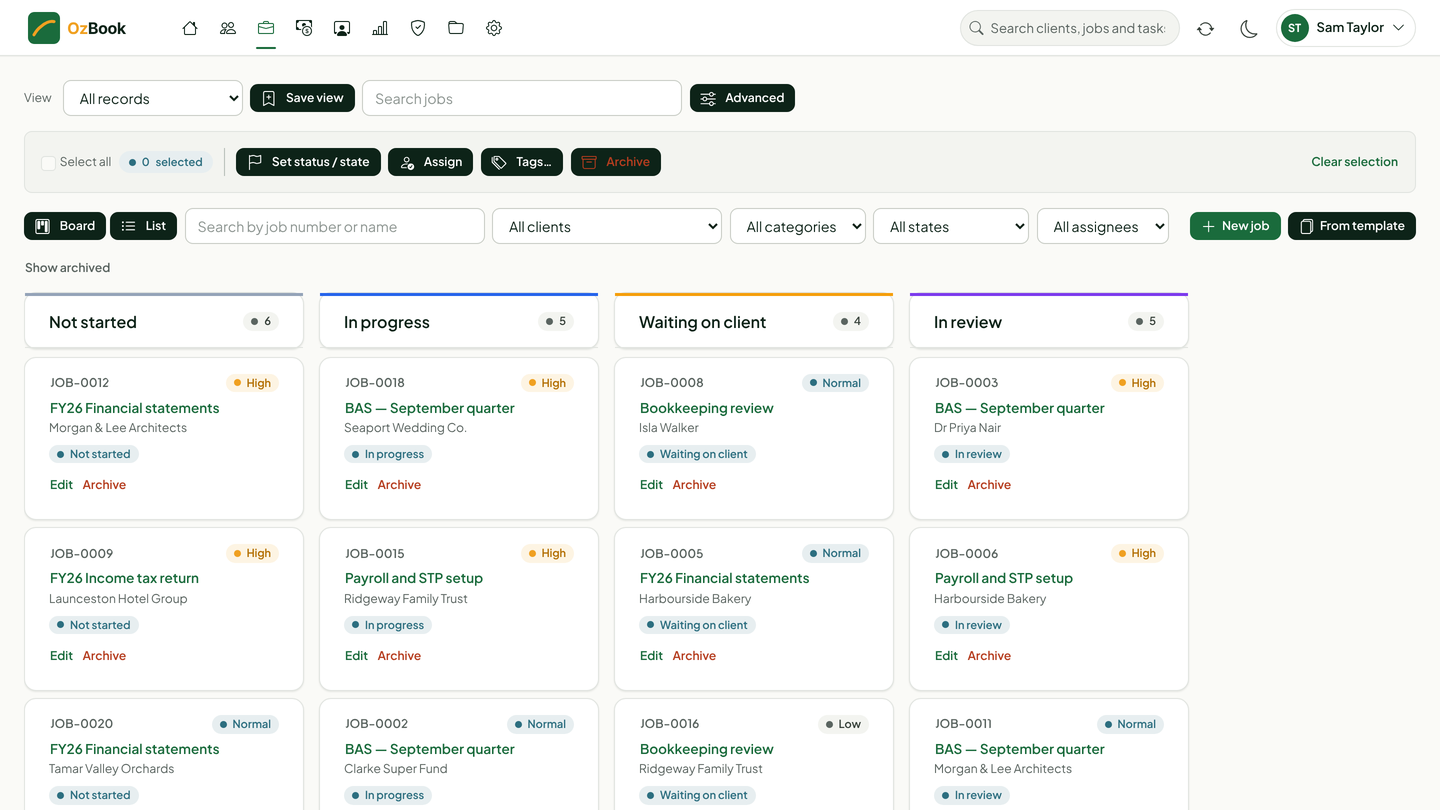
The OzBook Practice Manager jobs board

For accounting practices, OzBook Practice Manager runs the firm: clients and contacts, jobs and tasks on a board, timesheets, work in progress, fee invoices, budgets and profitability, and ATO lodgement deadlines for every client.

Practices can set up and manage their clients’ OzBook files, choose who pays for each one, and bring their data across from Xero Practice Manager. A secure client portal lets clients upload documents, answer queries and approve work without leaving their browser.

Get in touch

Interested in OzBook?

Questions about OzBook, pricing or an integration you need? Send a message and we’ll get back to you as soon as possible.